
The banner on your TpT store can be eyecatching and interesting. It also can be animated. Here’s how.
Step 1. Create your banner on Canva using animated stickers. Canva has a free level which limits the clipart and photos you can use but is user friendly and very versatile. I set my banner size to 450×150 which is the size recommended by TpT.

Step 2. Download your banner as a gif.
Step 3. In your store profile, click “Edit.”
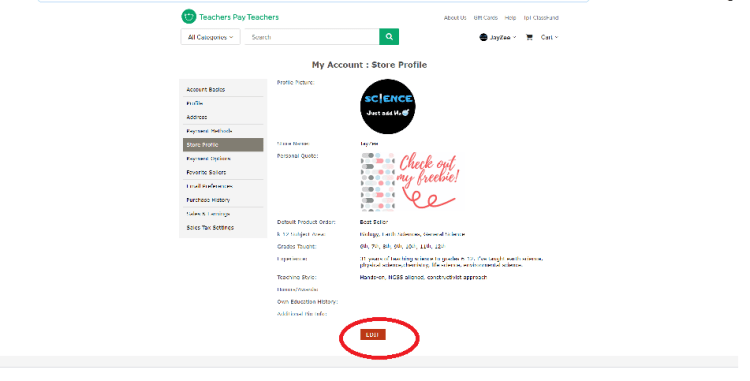
Step 4. Next to “Personal Quote,” choose “Image/Link” and then “Choose File.” Select the file that you saved.
Step 5. Click Save at the bottom and you’re done!

Discover more from Just Add H2O
Subscribe to get the latest posts sent to your email.